

Most Common iPhone 14 Problems & How to Fix Them
The iPhone 14 is still widely used in 2026, but many users continue to face issues such as battery drain, camera problems, overheating, and connectivity glitches. These problems are usually caused by software conflicts, aging hardware, or settings misconfiguration.
This guide covers the most common iPhone 14 problems, practical fixes that work in 2026, and when professional repair becomes necessary.

Key Takeaways
- Discover the most common iPhone 14 issues and step-by-step fixes.
Learn expert tips to troubleshoot battery, performance, and connectivity problems.
Ensure your iPhone 14 works seamlessly with practical solutions for hardware and software glitches.
Why iPhone 14 Issues Still Occur
Even with newer iOS updates, the iPhone 14 can develop problems due to:
Background system processes
App compatibility issues
Battery health degradation
Sensor calibration errors
Network configuration problems
Most Common iPhone 14 Problems & Fixes
1. iPhone 14 Battery Drains Fast

Battery drain is one of the most reported iPhone 14 issues, especially after major iOS updates.
What to do:
- Update to the latest iOS version
- Disable Background App Refresh
- Reduce screen brightness
- Turn off unused location services
Tip: Avoid using intensive apps for extended periods to prevent rapid battery drain.
2. iPhone 14 Camera Not Working or Black Screen
Some users experience a black screen or frozen Camera app on iPhone 14.
Fixes:
- Force close and reopen Camera app
- Restart the device
- Update iOS
- Remove third-party camera apps
If the problem continues, visit nearest iFixScreens store for expert help.
3. iPhone 14 Overheating Issue
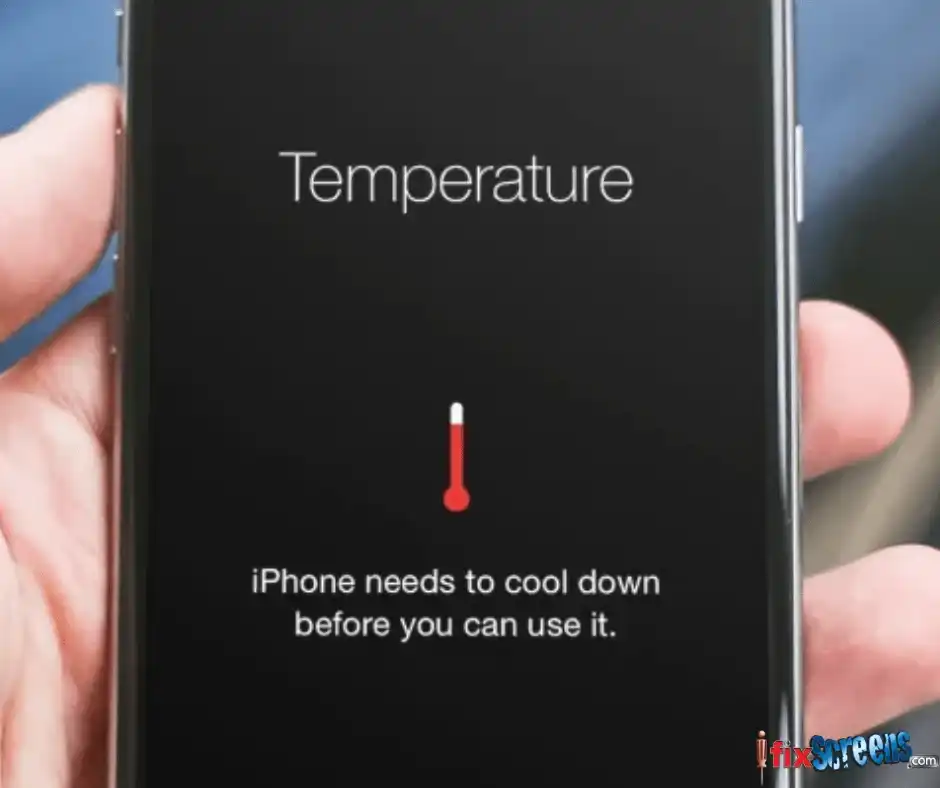
If your iPhone 14 becomes hot during normal use, overheating could be caused by background processing, high-performance apps, or environmental factors.
Fixes include:
Removing the phone case
Closing unused apps
Turning off unnecessary system features
4. iPhone 14 Lagging or Freezing

Symptoms:
Touch delay
Scrolling stutters
Screen freezes on app open
Fixes:
Restart device
Update iOS
Reset Settings
Free up storage
5. Wi-Fi or Bluetooth Keeps Disconnecting
Connectivity issues may occur due to corrupted network settings.
Try this:
Reset Network Settings
Forget and reconnect to networks
Update iOS
- If none helps, you'll check Apple's guide to Wi-Fi issues.
6. Face ID Fails to Recognize
Symptoms:
Face ID works intermittently
Recognition slow or blocked
Fixes:
Clean TrueDepth sensor area
Reset Face ID in Settings
Remove screen protector if blocking sensors
When iPhone 14 Needs Professional Repair
If any of these are present, software fixes won’t help and you should consider repair:
- Persistent camera black screen
- Touchscreen unresponsive after restart
- Battery drains even in Safe Mode
- Severe overheating after minor use
- Water or physical damage evident
Final Thoughts:
In conclusion, the iPhone 14 is a fantastic device with advanced features and improved performance. However, like any technology, it can experience faults and issues. This article discussed the most common iPhone 14 problems and the steps you can take to resolve them. If you are facing any problems with your iPhone 14, try the steps outlined in this article to resolve the issue.
Additionally, if the issues persist or if you encounter hardware problems, consider seeking professional assistance, such as iPhone 14 repair services, to ensure a comprehensive and effective solution.
FAQ: iPhone 14 Troubleshooting
Q. Why is my iPhone 14 overheating?
A. Heavy apps, system processes, or environmental heat can cause overheating.
Q. Does battery life degrade over time?
A. Yes, lithium-ion batteries lose capacity naturally after hundreds of charge cycles.
Q. Can software updates cause lag?
A. Temporarily yes, especially during background optimization.